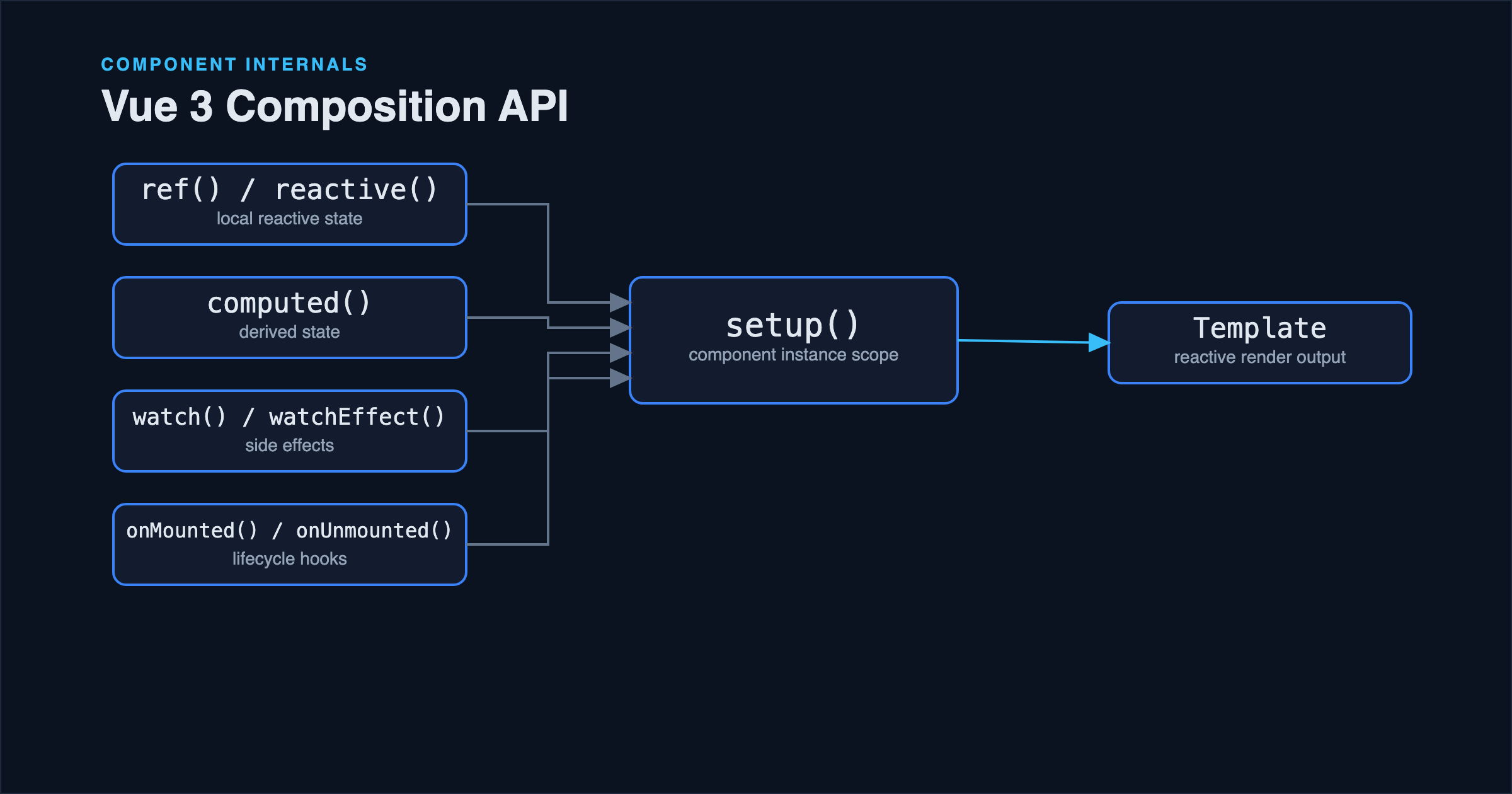
The Composition API's flexibility is also where most of the confusion starts: ref or reactive? watch or watchEffect? Should this logic live in setup() directly, or does it need to be extracted somewhere? The Options API answered these questions by giving you exactly one place for each kind of code: data, methods, computed. The Composition API gives you tools instead of slots, which is more powerful once you know how to use them, and genuinely confusing until you do.
This article covers the patterns that hold up in real components: when to reach for ref versus reactive, how watch and watchEffect actually differ beyond syntax, and how to keep a setup() function readable as a component grows past a handful of lines.
ref vs reactive: Pick Based on Shape, Not Habit
Both create reactive state, but they solve it differently, and picking consistently based on the shape of the data avoids a lot of second-guessing later.
import { ref, reactive } from 'vue';

const count = ref(0);          // primitive: needs .value to read/write
count.value++;

const form = reactive({        // object: access properties directly
  email: '',
  password: '',
});
form.email = '[email protected]';
ref wraps a value in an object with a .value property, which is what makes it work for primitives (numbers, strings, booleans) that JavaScript can't make reactive by reference alone. reactive returns a proxy around an object directly, so properties are accessed without an extra layer, but it only works on objects and arrays; reactive(0) doesn't do anything useful.
A practical rule that avoids most confusion: use ref for standalone values, reactive for a cohesive group of related fields you'll always work with together (a form, a set of filter options). Mixing both for closely related pieces of state (three separate refs that always change together) tends to scatter what's conceptually one piece of state across three variables.
One trap worth knowing explicitly: destructuring a reactive object breaks reactivity, because you pull out the plain value at that moment, disconnected from the proxy:
const form = reactive({ email: '', password: '' });
const { email } = form; // `email` is now a plain string, not reactive

// Correct: use toRefs to destructure while keeping reactivity
import { toRefs } from 'vue';
const { email: emailRef } = toRefs(form);
This is one of the most common sources of "my component isn't updating" bugs when moving from data() in the Options API, where destructuring never was a concern in the same way.
watch vs watchEffect: Explicit Dependencies vs Automatic Tracking
Both run a callback in response to reactive changes, but they differ in how they decide what to track.
import { watch, watchEffect } from 'vue';

// watch: explicit: you name exactly what triggers it
watch(searchQuery, (newQuery, oldQuery) => {
  fetchResults(newQuery);
});

// watchEffect: automatic: tracks whatever reactive values it reads
watchEffect(() => {
  document.title = `${unreadCount.value} unread messages`;
});
watch only reacts to the source you explicitly pass it, and gives you both the new and old value, which matters when the logic depends on the difference between them, not just the new value. watchEffect runs immediately on creation and re-runs whenever any reactive value it read during its last execution changes, tracked automatically, with no old-value comparison available.
The practical guideline: reach for watch when you need the previous value, when you want the watcher to stay inert until a specific value changes (not on initial render), or when the trigger condition needs to be explicit and obvious to someone reading the code later. Reach for watchEffect for side effects that should simply stay in sync with whatever reactive state they touch: syncing a document title, or writing to localStorage whenever any of several related values change, without wanting to list them all manually.
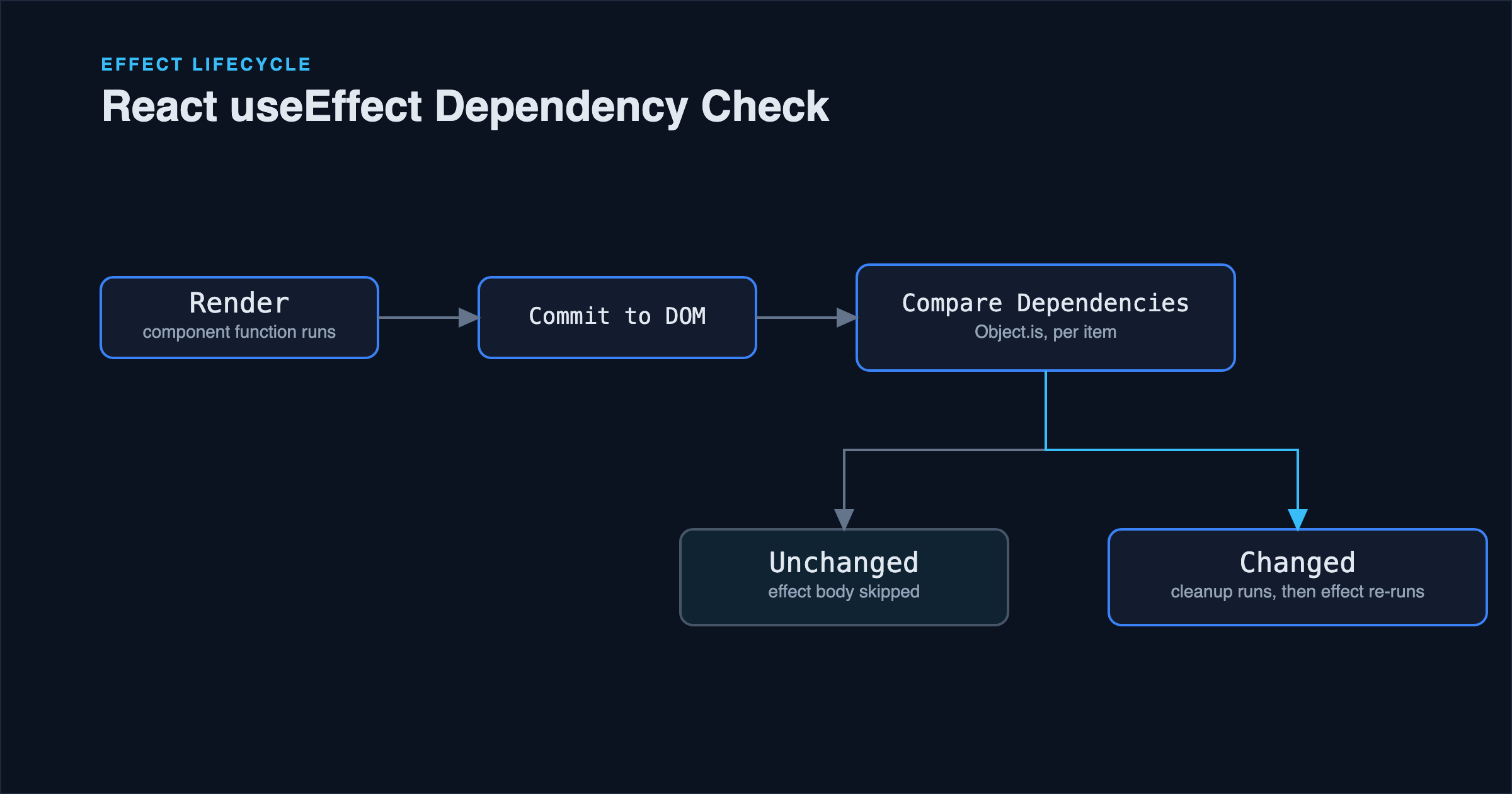
A mistake worth calling out directly: watchEffect re-runs based on values read during its actual execution, including inside conditional branches. If a reactive value is only read inside an if branch that didn't execute this time, changes to that value won't trigger a re-run until a run happens where it is read, which can look like a watcher randomly stops firing. This is the trade-off for not having to maintain an explicit dependency list by hand, the way React's useEffect dependency array requires.
Organizing setup() as It Grows
A component that starts with three lines of ref and grows to fifty lines of mixed state, computed properties, and watchers is a natural progression: the question is how to keep it readable at that size. Two things help more than any strict rule:
Group related state, computed values, and watchers together, in the order they're conceptually related, not all refs first, then all computed, then all watchers. Reading a setup() top to bottom should tell a story about one concern at a time:
// Search
const searchQuery = ref('');
const searchResults = ref([]);
watch(searchQuery, async (query) => {
  searchResults.value = await fetchResults(query);
});

// Pagination
const currentPage = ref(1);
const totalPages = computed(() => Math.ceil(searchResults.value.length / pageSize));
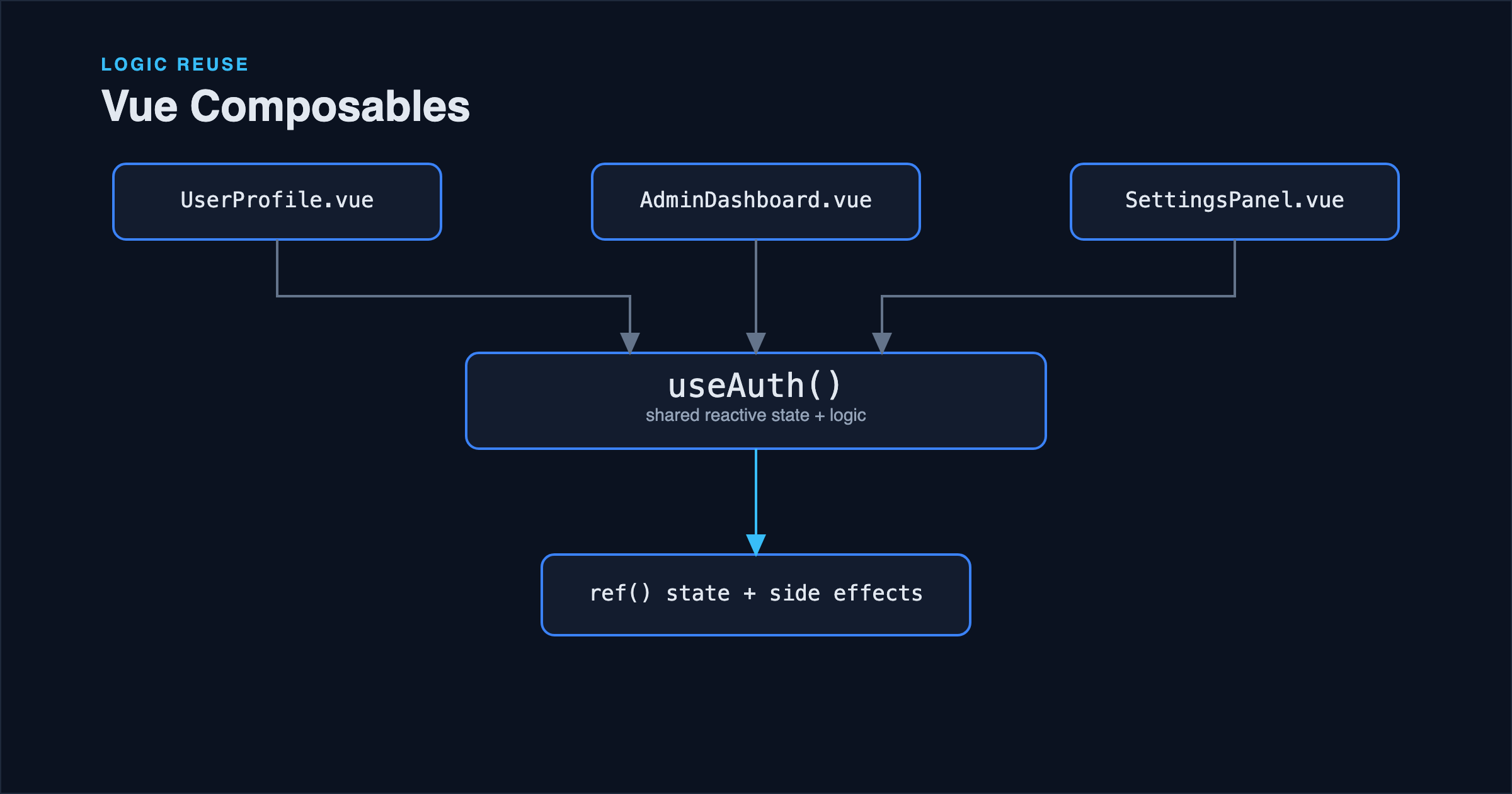
Extract a group once it has its own internal logic worth naming. If the search block above grows to include debouncing, loading state, and error handling, it's a strong signal to extract it into a composable (covered in depth in Building Reusable Vue Composables) rather than letting setup() keep absorbing complexity. The line isn't a fixed number of lines; it's whether the block has become a distinct concern that could be tested, reused, or reasoned about on its own.
Lifecycle Hooks: Same Idea, Different Shape
Lifecycle hooks in the Composition API are imported functions rather than object keys, and multiple calls to the same hook are all registered, not overwritten:
import { onMounted, onUnmounted } from 'vue';

onMounted(() => {
  window.addEventListener('resize', handleResize);
});

onUnmounted(() => {
  window.removeEventListener('resize', handleResize);
});
The pairing of onMounted/onUnmounted for anything that registers a global listener, timer, or subscription is worth treating as a fixed habit: an onMounted without a matching cleanup in onUnmounted is a common, easy-to-miss source of memory leaks and duplicate listeners in single-page apps where components mount and unmount frequently.
Common Mistakes
Destructuring reactive objects and losing reactivity, as covered above: the fix is toRefs() when destructuring is needed, or simply not destructuring and accessing properties through the object.
Forgetting .value inside <script setup> logic, or over-using it in the template. Inside <script setup>, .value is required in JavaScript code but Vue automatically unwraps refs in the template: writing count.value in the template is not just unnecessary, it doesn't work as expected on a plain top-level ref reference in some contexts and is simply not the convention.
Using watchEffect where watch was actually needed. If the logic genuinely needs the previous value, or needs to explicitly not run on initial setup, watchEffect's automatic tracking and immediate execution work against you rather than for you.
Putting everything in one giant setup() instead of extracting composables. This isn't wrong for a small component, but it stops scaling the moment two components need the same stateful logic: leading to copy-pasted watchers and refs instead of one shared, testable piece of logic.
Best Practices
- Choose
reffor standalone primitives,reactivefor a cohesive group of fields. - Use
toRefs()when you need to destructure areactiveobject while keeping reactivity. - Prefer
watchwhen the previous value matters or the trigger needs to be explicit; preferwatchEffectfor side effects that should track automatically. - Always pair a lifecycle side effect (listener, timer, subscription) with its cleanup counterpart.
- Extract a group of related state and logic into a composable once it becomes its own concern, not before.
FAQ
Is the Composition API replacing the Options API entirely? Vue 3 supports both, and the Options API isn't deprecated: it's a legitimate choice for simpler components or teams that prefer its structure. The Composition API earns its complexity budget on components with non-trivial logic, especially logic that needs to be shared across components via composables.
Can I mix Composition API and Options API in the same component? Yes, <script setup> can coexist with Options API properties in the same single-file component, though mixing the two styles within one component tends to make it harder to follow than committing to one approach per component.
Does <script setup> change any of this? No: <script setup> is syntax sugar that removes the need to explicitly return everything from setup(), but ref, reactive, watch, and lifecycle hooks all behave identically underneath it. Nuxt 3 builds directly on top of this; its own composables like useFetch and useSeoMeta follow the same ref and reactivity rules described here, as covered in Nuxt 3 SEO.
Conclusion
Most Composition API confusion comes down to two decisions made repeatedly throughout a codebase: ref vs reactive, and watch vs watchEffect. Deciding those based on the shape of the data and whether the previous value matters, rather than by habit, removes most of the guesswork. Past that, the main structural discipline is noticing when a block of related state has become its own concern and is ready to move into a composable.
References
- Vue.js documentation: Reactivity Fundamentals
- Vue.js documentation: Watchers
- Vue.js documentation: Composition API FAQ