An effect that fires on every single render, a fetch call stuck in an infinite loop, or a callback that keeps reading a stale value from three renders ago: these are three different symptoms of the same root cause, which is treating the dependency array as a vague suggestion rather than understanding what React actually does with it. Once the comparison mechanism is clear, all three stop being mysterious.
This article covers how the dependency array comparison actually works, why objects and functions passed as dependencies break it in a specific, predictable way, how cleanup functions fit into the same lifecycle, and when the exhaustive-deps lint warning is safe to work around instead of silencing.
What the Dependency Array Actually Does
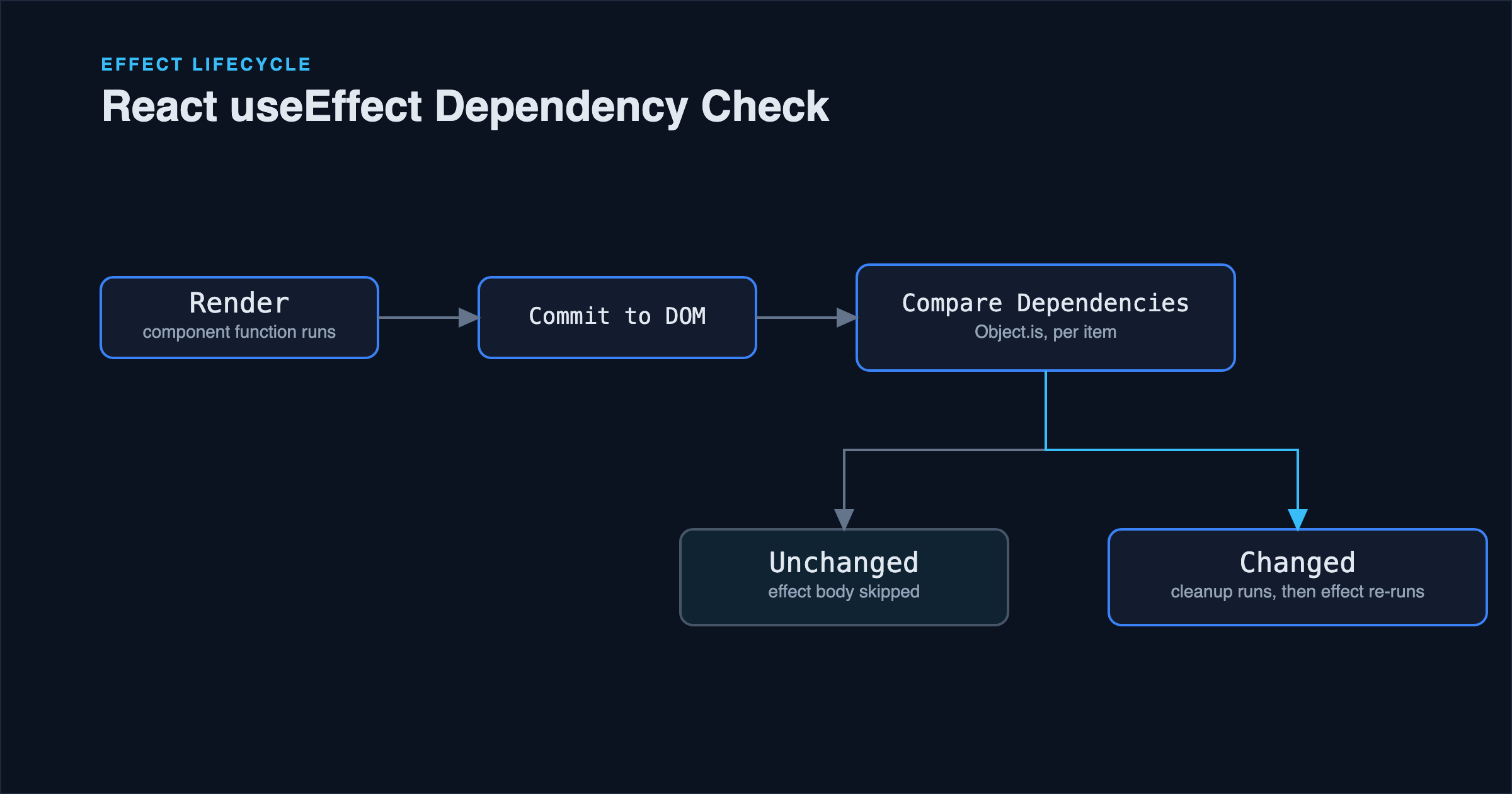
After every render, React compares the new dependency array against the array from the previous render, one item at a time, using Object.is (essentially the same as ===, with a couple of edge-case differences for NaN and signed zero). If every item is equal to its counterpart from last time, the effect is skipped. If even one item differs, React runs the cleanup function from the previous effect (if any), then runs the effect again.
useEffect(() => {
  document.title = `${count} unread messages`;
}, [count]);
This effect only re-runs when count itself changes to a new primitive value. Primitives compare by value, so this works exactly as expected: count going from 3 to 4 is a real change, count staying 3 across a re-render caused by something else is not.
The three special cases worth knowing explicitly:
useEffect(() => { /* ... */ });          // no array: runs after every render
useEffect(() => { /* ... */ }, []);      // empty array: runs once, after the first render
useEffect(() => { /* ... */ }, [count]); // runs when count changes
An effect with no array at all isn't a mistake by definition, but it's rarely what's actually needed for anything involving a subscription, a timer, or a network request, since it means the effect body runs after literally every render, including ones caused by unrelated state elsewhere in the component.
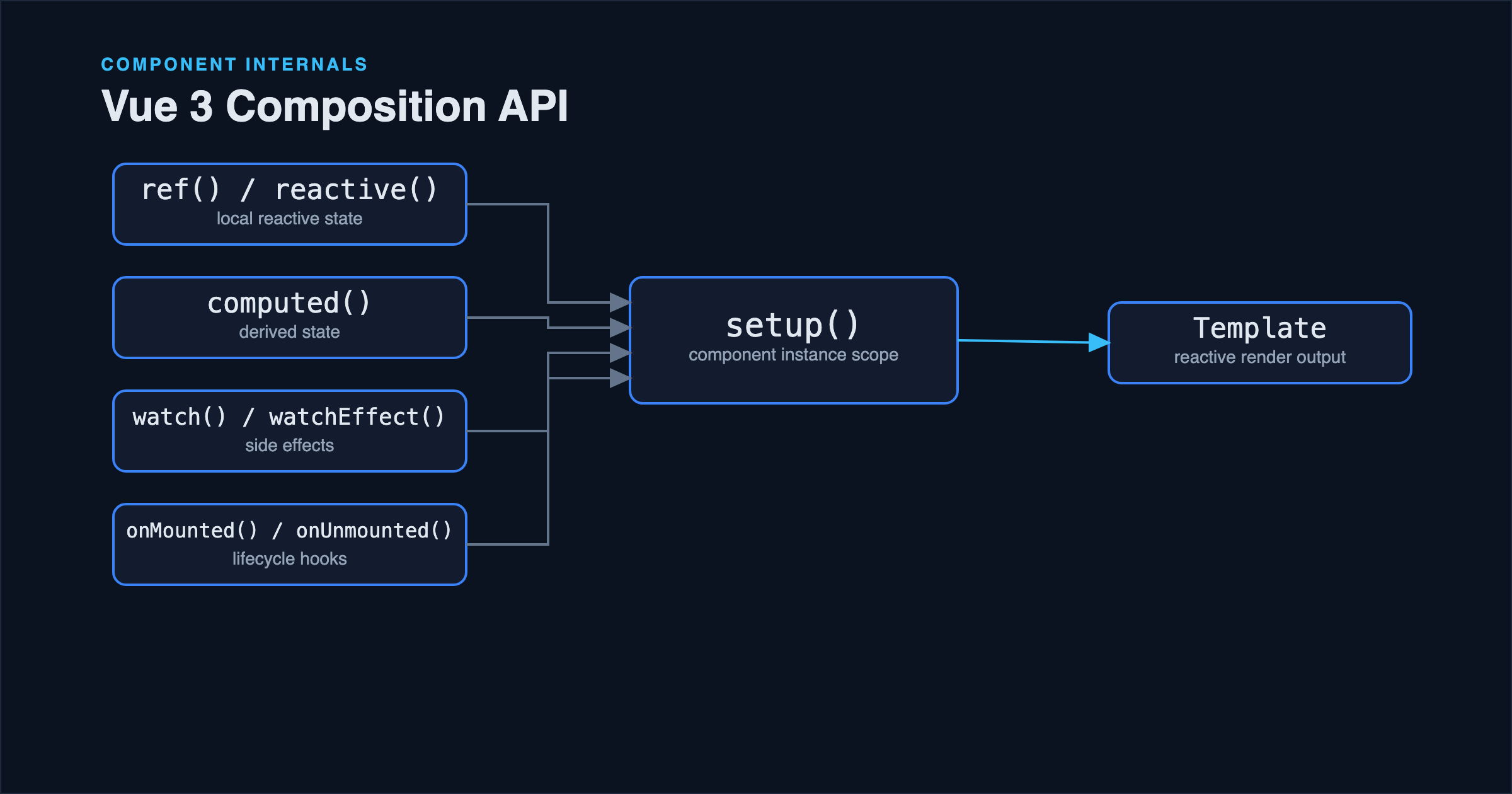
Worth noting for anyone moving between frameworks: this manual, explicit dependency list is a deliberate design choice specific to React. Vue's watchEffect, covered in Vue 3 Composition API: Practical Patterns, tracks its dependencies automatically by recording whatever reactive values it reads during execution, no array required. Each approach trades off differently: React's explicit array is more verbose but makes an effect's triggers auditable at a glance, while Vue's automatic tracking is more convenient but can silently stop reacting to a value that's only read inside a conditional branch that didn't execute on a given run.
Why Objects and Functions Cause Infinite Loops
This is the single most common useEffect bug, and it isn't a React bug: it's Object.is doing exactly what it's supposed to do.
// Buggy: infinite loop
function UserProfile({ userId }) {
  const options = { userId, includeAvatar: true };

  useEffect(() => {
    fetchUser(options).then(setUser);
  }, [options]); // new object every render
}
options is a new object literal created fresh on every render. Even though its contents look identical to the previous render's options, Object.is(newOptions, oldOptions) is false, because object comparison checks reference identity, not structural equality. So the effect runs, which (if it triggers a state update, as fetchUser(...).then(setUser) does) causes a re-render, which creates a new options object again, which the effect sees as "changed" again, and the cycle repeats indefinitely.
The fix is either to depend on the primitive values that actually matter instead of the wrapping object, or to memoize the object so its reference stays stable across renders when its contents haven't changed:
// Fixed: depend on primitives directly
useEffect(() => {
  fetchUser({ userId, includeAvatar: true }).then(setUser);
}, [userId]);

// Or, if the object genuinely needs to be constructed once and reused:
const options = useMemo(() => ({ userId, includeAvatar: true }), [userId]);
useEffect(() => {
  fetchUser(options).then(setUser);
}, [options]);
The same reasoning applies identically to functions passed as dependencies: an inline arrow function is a new reference every render, so it needs useCallback if it's genuinely meant to be a stable dependency, rather than being defined inline inside the component body and passed straight into the array.
Stale Closures: The Other Common Failure Mode
The opposite-looking problem, an effect that keeps using an old value even after state has changed, comes from the same mechanism working correctly, just against a dependency array that's missing something:
// Buggy: count is stuck at whatever it was when the effect first ran
function Counter() {
  const [count, setCount] = useState(0);

  useEffect(() => {
    const id = setInterval(() => {
      console.log(count); // always logs the count from the first render
    }, 1000);
    return () => clearInterval(id);
  }, []); // missing count
}
Because the dependency array is empty, this effect runs exactly once, and the closure captured inside it closes over whatever count was during that one render, which is 0. Every second afterward, setInterval's callback still references that original count, regardless of how many times the component has re-rendered with a new value since. Adding count to the dependency array fixes it by making the effect re-run (tearing down the old interval, starting a fresh one with the current closure) every time count changes, at the cost of resetting the interval's timing on every change:
useEffect(() => {
  const id = setInterval(() => {
    console.log(count); // now correct, but the interval resets every time count changes
  }, 1000);
  return () => clearInterval(id);
}, [count]);
If resetting the interval's timing on every change is the actual problem, the fix isn't to omit the dependency again, it's to avoid needing it as a dependency in the first place, typically with a functional state update or a ref that always holds the latest value without being part of the comparison:
useEffect(() => {
  const id = setInterval(() => {
    setCount((current) => current + 1); // reads the latest state without needing count as a dependency
  }, 1000);
  return () => clearInterval(id);
}, []); // safe now: the effect body no longer closes over a stale value
Cleanup: Why It Runs Before the Next Effect, Not Just on Unmount
The cleanup function returned from an effect runs before the effect runs again, and again on unmount, not only when the component goes away. This is exactly what makes the setInterval example above work correctly: every time count changes and the effect re-runs, the previous interval is cleared first, so there's never more than one interval running at once. Skipping the cleanup function on an effect that subscribes to something external (an event listener, a WebSocket, a timer) is one of the most common sources of duplicate listeners and memory leaks in a React app that mounts and unmounts components frequently, such as anything using client-side routing.
When exhaustive-deps Is Safe to Work Around
The react-hooks/exhaustive-deps ESLint rule flags any value used inside an effect that isn't listed in the dependency array, and it's right often enough that silencing it should be the exception, not a habit. But there are legitimate cases where a value genuinely shouldn't be a dependency:
A setter function from useState (setCount) and a ref object from useRef are guaranteed stable across renders by React itself, so the lint rule already special-cases them; they don't need to be listed and including them changes nothing. Beyond that, the functional-update pattern shown above (setCount((current) => current + 1)) is the standard way to read the latest state inside an effect without needing that state as a dependency at all, which is almost always preferable to disabling the lint rule with a comment.
The case where suppressing the warning is legitimate is rare: an effect that's genuinely meant to run only once, using a value that's expected never to change in practice (an ID from route params that's fixed for the component's lifetime, for instance) but that the linter can't prove won't change. Even then, a // eslint-disable-next-line react-hooks/exhaustive-deps comment should carry a one-line reason, since the next person reading it (including a future version of the same author) has no way to know whether it was a deliberate decision or a warning someone silenced to make it go away.
Common Mistakes
Depending on an object or array without memoizing it. Covered above: this is the most common cause of an effect that appears to run forever, and the fix is either narrowing the dependency to the primitive values that matter or memoizing the object with useMemo.
Silencing exhaustive-deps instead of fixing the underlying issue. A disabled warning without a functional-update pattern or a genuinely justified reason is very likely to reintroduce a stale closure bug the next time someone edits the effect body and forgets the suppressed dependency exists.
Fetching data in useEffect without an abort mechanism. If the effect's dependencies change again before a previous fetch resolves (search-as-you-type is the classic case), the older response can resolve after the newer one and overwrite it with stale data. An AbortController, tied to the cleanup function, prevents this.
Treating useEffect as a general-purpose lifecycle hook for anything that isn't actually a side effect. Deriving a value from props or state (a computed total, a filtered list) belongs in a plain calculation during render, or useMemo if it's expensive, not in an effect that sets state after the fact, which adds an extra render cycle for no benefit.
Best Practices
- List every reactive value the effect body actually reads, and let the linter enforce it rather than fighting it.
- Depend on primitive values instead of objects or functions where possible; reach for
useMemo/useCallbackonly when a stable reference is genuinely required. - Use the functional-update form of
setStateinside effects that don't otherwise need the current state as a dependency. - Always return a cleanup function from effects that subscribe to anything external.
- Comment any deliberately suppressed
exhaustive-depswarning with the specific reason it's safe.
FAQ
Is it ever correct to have an effect with no dependency array at all? Rarely, and mostly for debugging or for effects that are genuinely meant to synchronize with every render (uncommon in practice). Almost anything that looks like it needs this is better served by an empty array plus the correct dependencies, or by moving the logic out of an effect entirely.
Why does React run effects twice in development? In Strict Mode, React intentionally mounts, unmounts, and remounts components once in development to surface effects that aren't cleaning up correctly. It's a diagnostic, not a bug: if double-invocation breaks something, the effect was missing a needed cleanup step that would have caused a real problem in production under normal remounting (route changes, conditional rendering) anyway.
Should data fetching always go through useEffect? For a component-local fetch, it's a reasonable default, but a dedicated data-fetching library (React Query, SWR, or a framework's built-in data layer in something like Next.js) handles caching, deduplication, and race conditions that a hand-written useEffect fetch has to reimplement manually, and reimplementing them is where most of the AbortController and stale-closure bugs in real codebases come from.
Conclusion
Every useEffect bug in this article traces back to the same fact: the dependency array is compared by reference for anything that isn't a primitive, and effects close over whatever values existed during the render that created them. Once that's the mental model instead of "just list what the linter asks for," infinite loops, stale closures, and missing cleanup stop being separate mysteries and become one pattern to check for every time an effect is written.
References
- React documentation: useEffect
- React documentation: Synchronizing with Effects
- React documentation: Removing Effect Dependencies
- React documentation: You Might Not Need an Effect