process.env.PORT scattered across a dozen files is the kind of thing that works fine until it doesn't: someone forgets to set a variable in staging, the app silently falls back to undefined, and a numeric comparison quietly does something wrong because process.env.PORT is a string, not a number. None of this throws an error at the point where the mistake actually happened; it surfaces later, somewhere else, as confusing behavior.
This article covers how to structure environment variable handling in a Node.js app so failures happen at startup, with a clear error message, instead of at runtime in some unrelated code path. It's not about .env files as a concept: it's about the validation and typing layer most projects skip.
The Problem With Reading process.env Directly
Every value on process.env is a string, or undefined if it isn't set. That has two consequences that cause real bugs:
const port = process.env.PORT; // string "3000", or undefined
app.listen(port + 1); // "30001": string concatenation, not addition
And because process.env reads don't fail (they just return undefined silently) a missing required variable doesn't announce itself until whatever code path uses it happens to run:
const client = new S3Client({ region: process.env.AWS_REGION }); // works, region is undefined
// ...
await client.send(command); // fails, hours later, deep in a request handler
The fix isn't "remember to check for undefined everywhere." It's moving validation to one place, at startup, so the app refuses to boot with a bad configuration instead of failing unpredictably later.
Layer 1: .env Files for Local Development
For local development, a .env file keeps variables out of your shell history and out of version control:
# .env
PORT=3000
DATABASE_URL=postgresql://postgres:devpassword@localhost:5432/app_dev
JWT_SECRET=dev-only-secret-do-not-use-in-prod
Loaded via a package like dotenv, typically as the very first thing your entry file does:
import 'dotenv/config';
Two things matter here that are easy to get wrong. First, .env belongs in .gitignore: commit .env.example instead, with the same keys and placeholder or safe default values, so the required shape of configuration is documented without leaking real secrets:
# .env.example
PORT=3000
DATABASE_URL=postgresql://user:password@localhost:5432/dbname
JWT_SECRET=
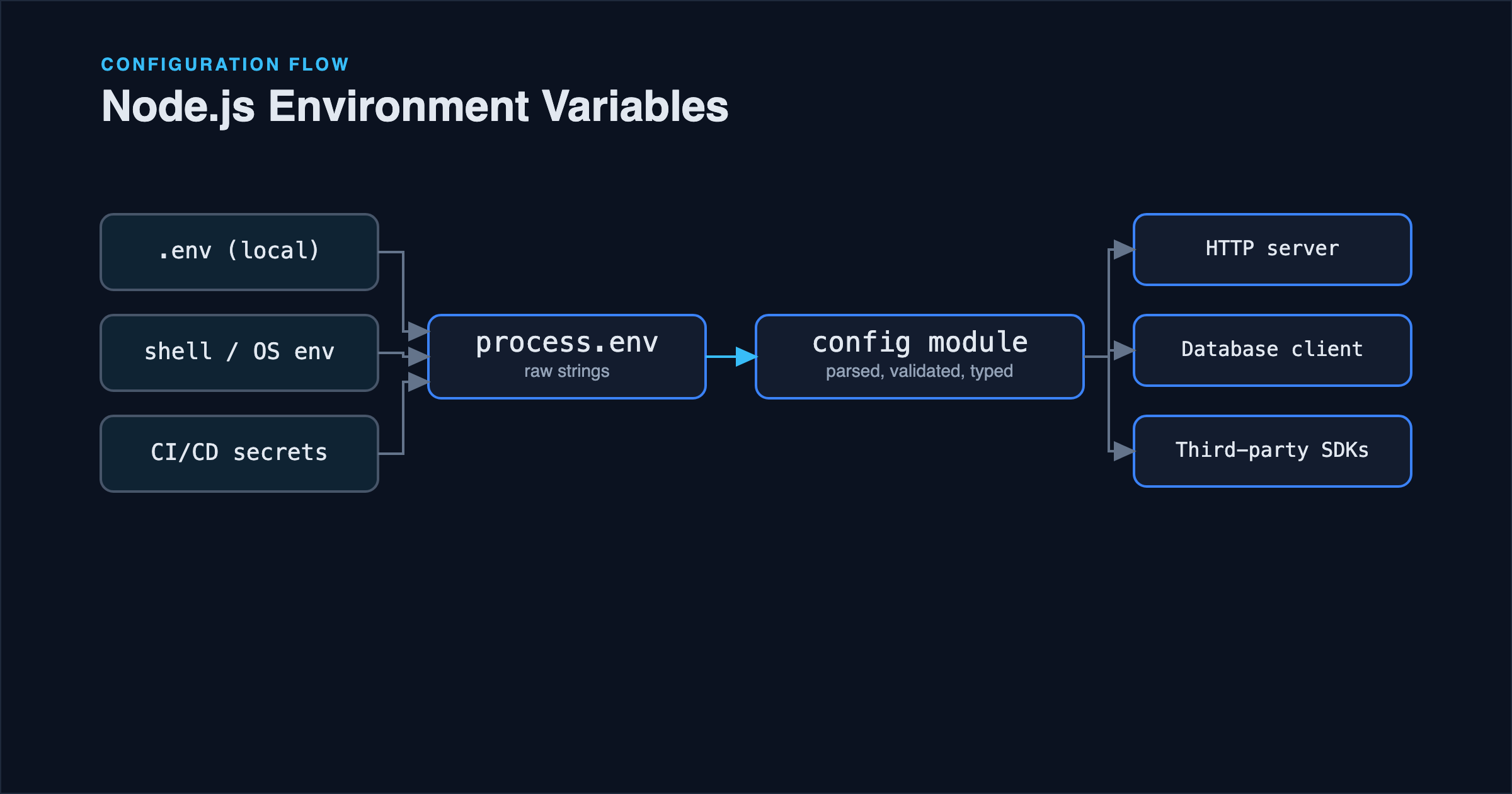
Second, .env files are a local development convenience, not a deployment mechanism. In staging and production, variables should come from the platform's own environment configuration (CI/CD secrets, a container orchestrator's secret store, or the hosting platform's environment settings): never from a .env file shipped inside a deployed image or bundle.
Layer 2: Validate at Startup, Not at Use
This is the layer most codebases skip, and it's the one that actually prevents bugs. Instead of reading process.env.X wherever it's needed, define a schema once and validate the entire environment when the app starts:
import { z } from 'zod';

const envSchema = z.object({
  NODE_ENV: z.enum(['development', 'test', 'production']).default('development'),
  PORT: z.coerce.number().int().positive().default(3000),
  DATABASE_URL: z.string().url(),
  JWT_SECRET: z.string().min(32),
});

const parsed = envSchema.safeParse(process.env);

if (!parsed.success) {
  console.error('Invalid environment configuration:', parsed.error.flatten().fieldErrors);
  process.exit(1);
}

export const env = parsed.data;
Now env.PORT is a validated number, not a string you have to remember to coerce. env.DATABASE_URL is guaranteed to be a syntactically valid URL, or the process never starts. If JWT_SECRET is missing or too short, you find out immediately, with a message that names the exact variable, not three hours later when a token signing call throws deep inside an auth middleware.
The rest of the application imports env, not process.env:
import { env } from './config/env.js';

app.listen(env.PORT, () => {
  console.log(`Listening on port ${env.PORT} (${env.NODE_ENV})`);
});
This has a secondary benefit beyond validation: it makes every configuration value discoverable. Grep the codebase for process.env and you'll typically find it used in dozens of places; grep for env. after this refactor and every consumer is visible, and the schema itself becomes living documentation of what the app actually needs to run.
Layer 3: Framework-Level Config Modules
If you're using a framework with its own configuration system (NestJS's @nestjs/config, for instance) the same principle applies, just wired through the framework's dependency injection instead of a plain exported object:
// config/configuration.ts
export default () => ({
  port: parseInt(process.env.PORT ?? '3000', 10),
  database: {
    url: process.env.DATABASE_URL,
  },
});
// app.module.ts
@Module({
  imports: [
    ConfigModule.forRoot({
      load: [configuration],
      validationSchema: envSchema, // Joi or a class-validator DTO, depending on the project
    }),
  ],
})
export class AppModule {}
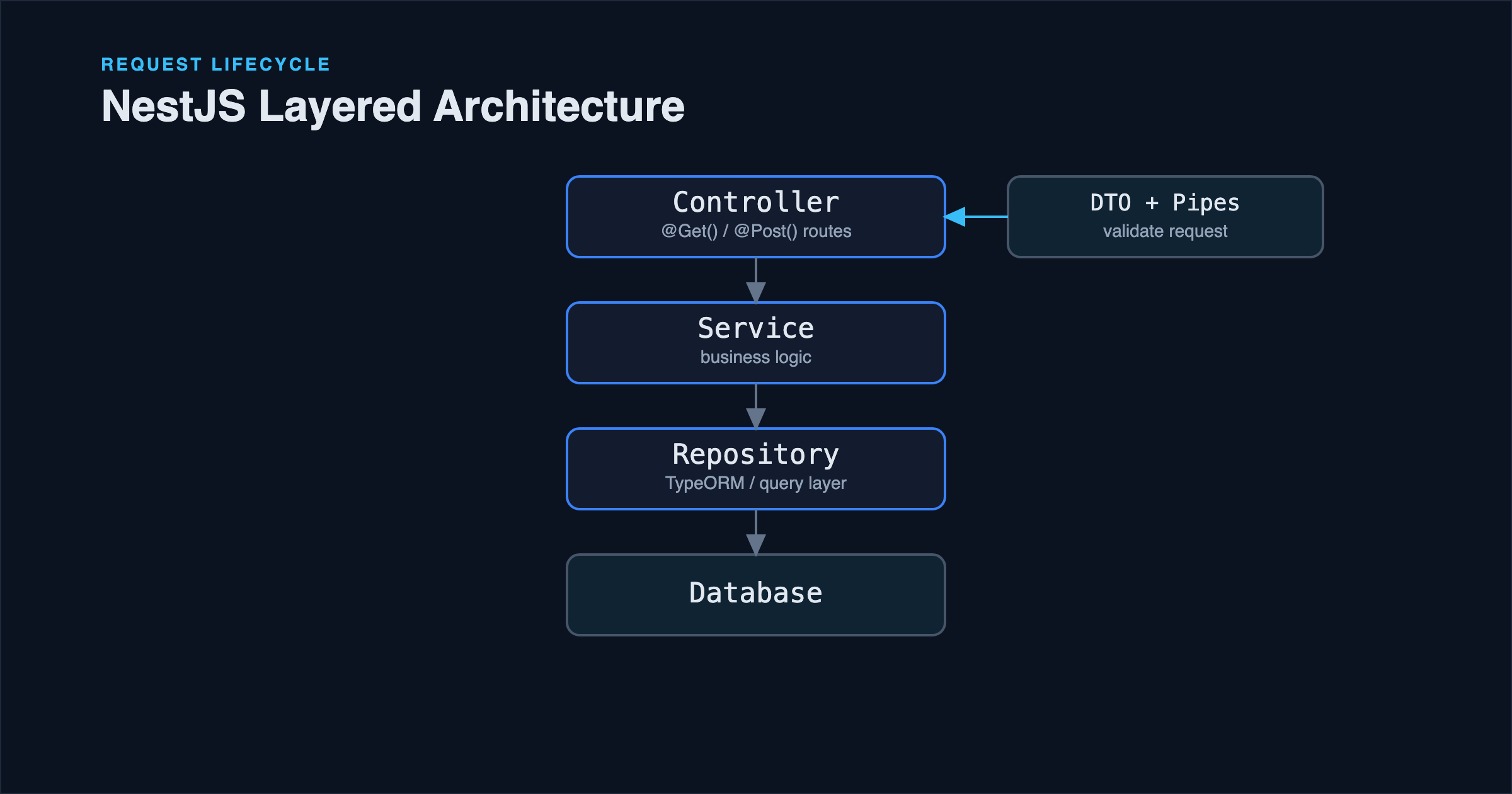
The mechanism differs by framework, but the shape of the solution doesn't: one validated source of truth, consumed through injection or import rather than direct process.env access scattered through the codebase. This pairs naturally with how configuration flows through a layered backend: see How to Structure a NestJS Project with TypeScript for how a config module fits alongside controllers, services, and repositories.
Environment Variables Inside Docker
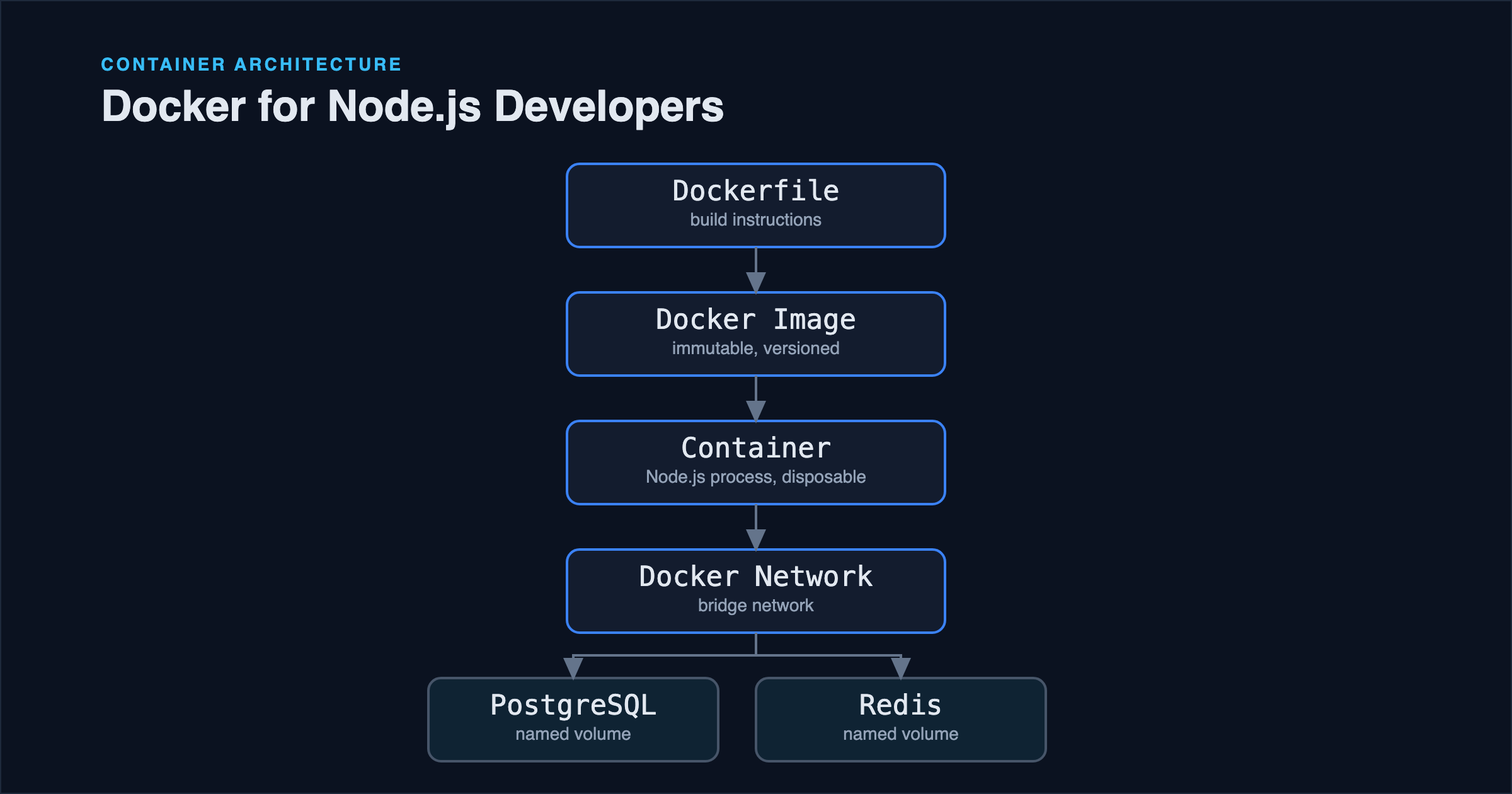
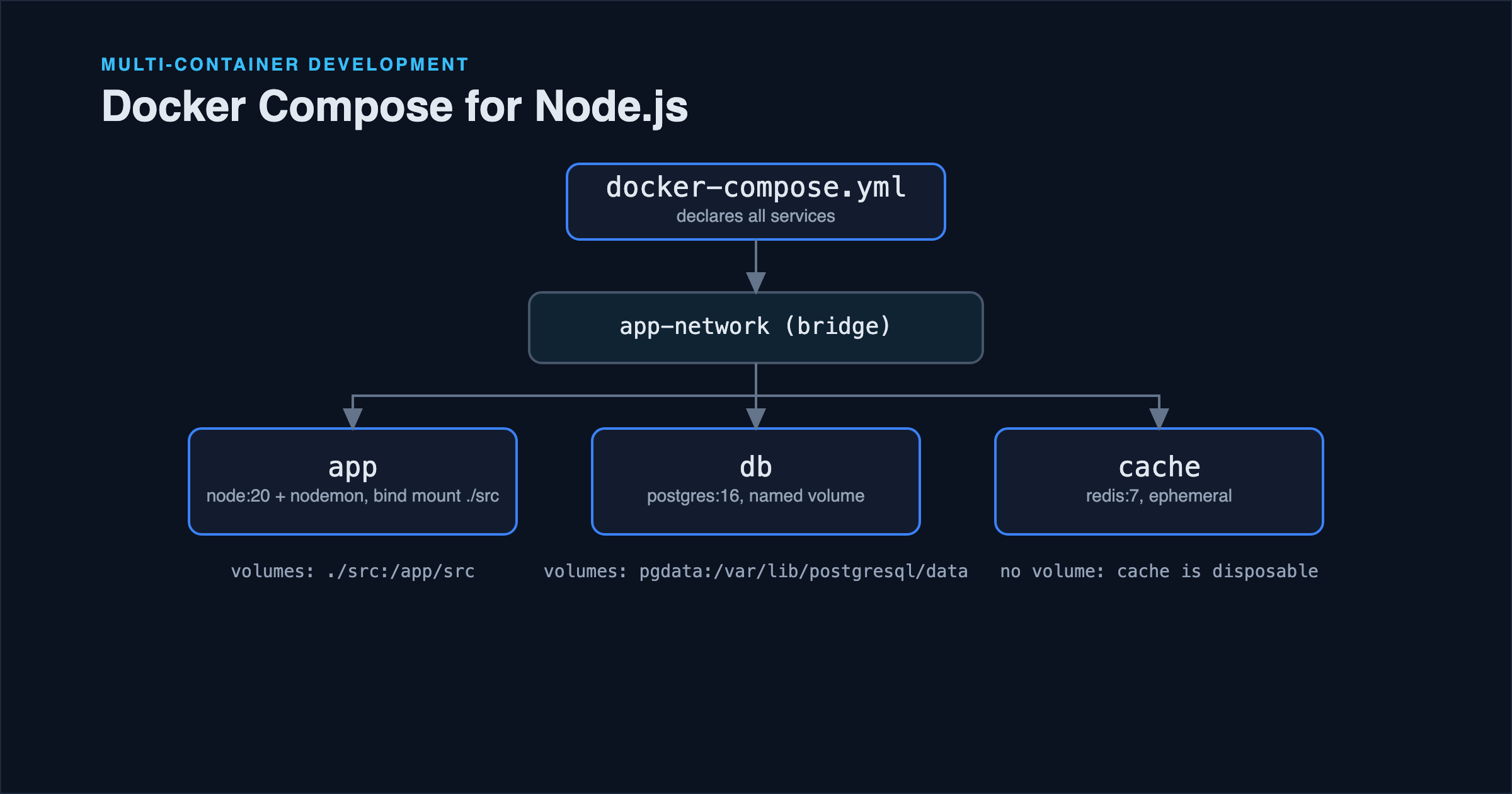
Inside a container, the same validation layer applies, but the source of the variables changes. docker run -e KEY=value, a Compose file's environment: block, or an orchestrator's secret injection all ultimately just populate process.env inside the container: your validation schema doesn't need to know or care which one supplied the value. What does matter is not baking secrets into the image itself via a Dockerfile ENV instruction, since that becomes part of the image's inspectable metadata. The Docker fundamentals guide covers why runtime injection, not build-time ENV, is the correct place for secrets.
Common Mistakes
Comparing process.env.NODE_ENV with loose equality assumptions. process.env.NODE_ENV === 'production' is fine, but code that assumes anything not 'development' is automatically safe for production behavior (enabling caching, disabling verbose logging) can misfire in a 'test' or 'staging' environment that nobody accounted for. Be explicit about which environments trigger which behavior.
Treating .env.example as optional. When it drifts out of sync with the actual required variables, new team members (or a fresh CI runner) hit cryptic startup failures with no clue what's missing. If a schema-based validation layer exists, generating .env.example from the schema's keys (even just as a manual sync step) keeps the two from diverging.
Putting default values for secrets in the schema. A .default('dev-secret') on a JWT signing key means a misconfigured production deployment doesn't fail loudly: it silently runs with a known, guessable secret. Defaults are appropriate for genuinely optional values like PORT; they're a liability for anything security-sensitive.
Reading process.env inside deeply nested modules. Beyond making values hard to validate centrally, it makes unit testing harder: you end up mutating global process.env state between test cases instead of just passing a config object into whatever you're testing.
Best Practices Checklist
- Validate the full environment once, at startup, and export a typed object.
- Never commit
.env; always commit and maintain.env.example. - Use
.envfiles for local development only: inject real environment variables through the deployment platform elsewhere. - Don't set silent defaults for secrets; let missing secrets fail startup loudly.
- Consume configuration through the validated object, not scattered
process.envreads.
FAQ
Should .env.test be different from .env? Often yes, particularly for DATABASE_URL: running tests against the same database as local development risks tests wiping data you were actively using. A separate test database name (and sometimes a separate .env.test loaded conditionally based on NODE_ENV) keeps the two isolated.
Is dotenv still necessary with modern Node.js? Node.js (20.6+) can load .env files natively with the --env-file flag, which removes the need for the dotenv package in some setups. The validation layer described above is still worth adding either way: native .env loading solves reading the file, not validating its contents.
What about secrets that rotate, like short-lived database credentials? That's a different problem from static configuration, usually solved with a secrets manager the app queries at startup or on a refresh interval, rather than a static environment variable. It's worth introducing once credential rotation becomes a real requirement, not by default for every project.
Conclusion
The recurring theme across .env files, validation schemas, and framework config modules is the same: environment variables should fail fast and fail clearly, at the one place configuration is loaded, rather than silently as undefined somewhere deep in application code. A small schema and a single exported env object cost little to set up and remove an entire category of "works on my machine, breaks in staging" bugs.
References
- Node.js documentation: Environment variables
- Node.js documentation:
--env-file - Zod documentation
- NestJS documentation: Configuration